
Instead of manually rebuilding athlete notes for every review, build a scouting report from TCI Athletics stats by recording public-profile information, verifying results, and matching observations to video. Use the workflow below to produce a dated report that separates documented performance from your scouting judgment.
- Build a scouting report from TCI Athletics stats by separating verified results, video observations, and unanswered questions.
- Turksathletes is best for coaches and recruiters starting research on Turks and Caicos Islands athletes through public profiles.
- Compare matching events and measurement units; never treat a highlight reel as a complete performance sample.
- Keep source dates and evidence limits beside each conclusion so another reviewer can check your reasoning.
Why this matters
A scouting report is a decision document, not a collection of impressive numbers. Your reader needs to know what the athlete demonstrated, under what conditions, and which questions remain unresolved.
Turksathletes showcases public athlete profiles, achievements, statistics, and highlights from the Turks and Caicos Islands. That makes it a starting point for gathering athlete information; your report must still distinguish what a profile states from what supporting evidence establishes.
For a 2026 scouting report, date the evidence rather than assuming everything on a profile describes current performance. A result date, a video date, and the date you accessed a page serve different purposes. Keep them separate.
Before you start
- Source material: Have the athlete's public profile, relevant statistics, and any available highlights ready. Open original result records when you have them.
- Working document: Use a document or spreadsheet you can edit and share. The bold field names below are labels to create in your own template, not claimed website controls.
- Identity and context check: Confirm the athlete, discipline, event, and reporting period before copying a result. Similar names and unmatched event conditions can invalidate a comparison before you write the first conclusion.
Choose your scouting question now. Assessing a sprinter's event progression requires different evidence from assessing a basketball player's off-ball decisions. Define the question before choosing which statistics deserve space.
Source record
Set up your evidence register
- Create a report heading with Athlete, Sport or event, Scouting question, Report date, and Reviewer. For a report prepared in 2026, use the actual preparation date rather than labeling every underlying result as a 2026 performance.
- Add a source register with Source title, Source address, Access date, Performance date, and Evidence type. Classify each item as a profile statement, result record, statistic, or video observation.
- Copy the athlete's name exactly as published. Add team, event, or competition information only when the source supplies it.
- Record the source address in your working document. If a result lacks an original record, mark it Unverified source statement rather than treating it as independently confirmed.
Expected result: Another reviewer can trace each recorded fact to its source without asking you where it came from.
Keep biography separate from evaluation. An achievement belongs in the background section when documented, but it does not automatically prove present readiness for a different competition level. Write the achievement first; assess its relevance separately.
Comparable statistics
Configure your metric sheet
- Create columns for Metric, Recorded value, Unit, Event or role, Reporting period, Context, and Verification status. Preserve the source's original value before making any calculations.
- Copy only metrics relevant to your scouting question. For timed events, retain the event distance and recorded time. For team sports, retain the statistic's denominator or exposure information when supplied.
- Check that each comparison uses matching definitions. A season total and a per-game average answer different questions; neither substitutes for the other.
- Write Not reported where a necessary value is absent. Do not enter zero, estimate playing time, or reconstruct a denominator from an unrelated source.
- Add a short Interpretation beside each usable metric. Describe what the metric establishes and what additional context you need before making a selection judgment.
Expected result: Your metric sheet contains comparable evidence, with gaps visible rather than concealed inside a rating.
Choose the right comparison basis
Use this table to decide what belongs in the report. These are report formats, not claims that every athlete profile supplies each field.
| Evidence format | Best for | Strength | Limitation | Required check |
|---|---|---|---|---|
| Single recorded result | Assessing a documented performance | Keeps the event and outcome together | Does not establish consistency | Confirm athlete, event, date, and unit |
| Results across dates | Reviewing progression | Shows the recorded sequence | Conditions and competition context can differ | Match definitions before describing a trend |
| Per-opportunity statistic | Comparing production relative to exposure | Retains the denominator | Cannot be calculated without valid exposure data | Verify the numerator and denominator cover the same period |
| Video observation | Assessing visible actions | Shows movement and decisions | Edited footage does not show every possession or attempt | Record the clip context and observable action |
Never turn missing context into a confident ranking. When conditions differ, describe the difference and keep the performances separate.
Video evidence and assessment
Build the observation section
- Create Observed action, Video locator, Context, Interpretation, and Follow-up fields. Record a timestamp when the footage provides one; otherwise describe the sequence precisely enough to find it again.
- Review the action before writing an attribute. Record a visible change of direction, release, finish, or response to an opponent rather than starting with an unsupported label such as elite.
- Separate the observation from the conclusion. An athlete completing an action in the visible sequence is an observation; projecting that action into another competitive setting is an assessment.
- As a practical review target, seek 3 clips showing the action in different sequences. This is a suggested evidence-gathering target, not a validated threshold for ability or consistency.
- Add a countercheck: look for sequences that challenge your first impression. If only selected highlights are available, state that limitation beside the assessment.
Expected result: Every video-based conclusion points to an observable action and includes the limits of the footage.
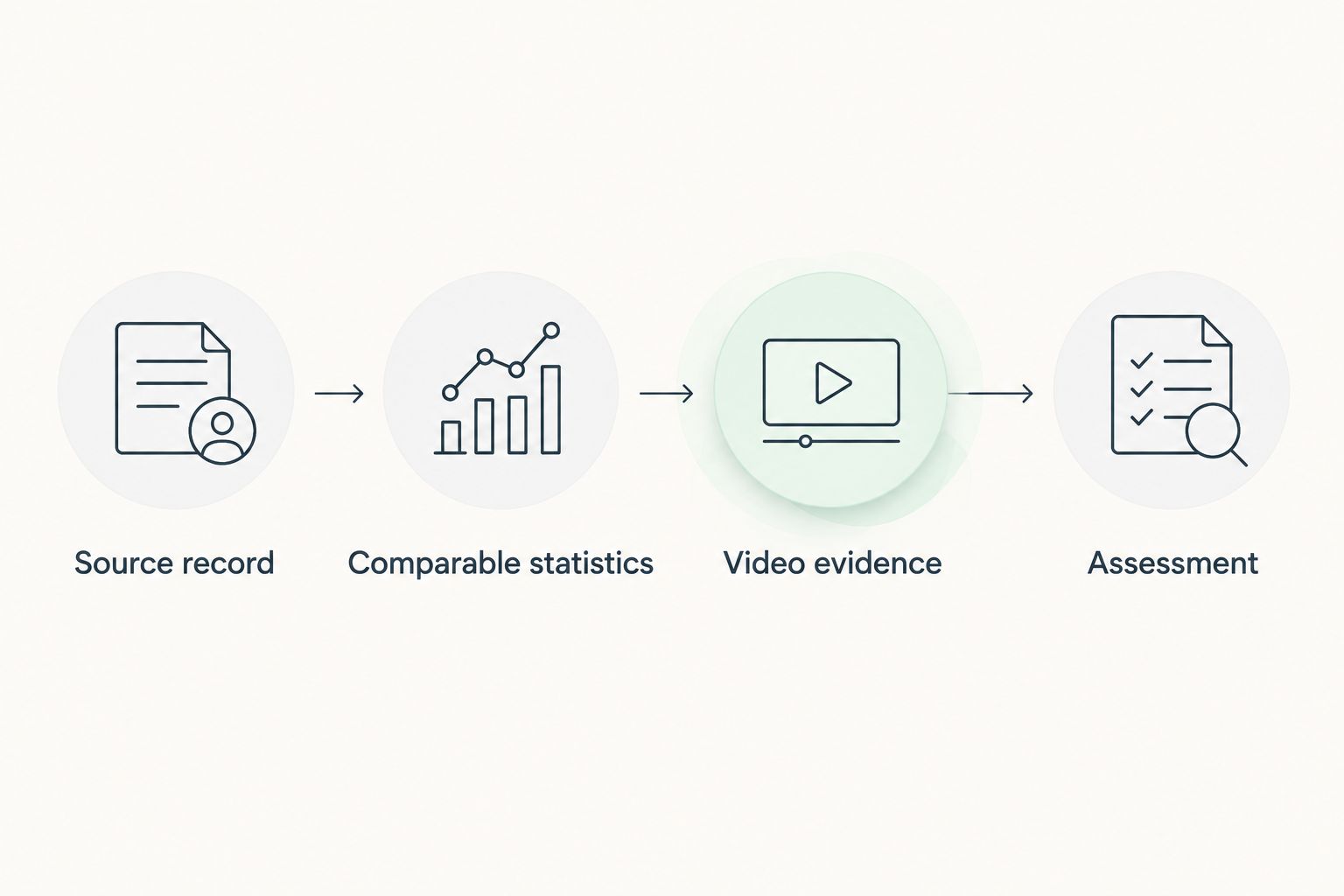
Your evidence chain should remain readable even when another coach disagrees with your interpretation. Keep Source record, Comparable statistics, Video evidence, and Assessment as distinct stages rather than blending them into a single paragraph of praise.
Avoid using a clip to verify something it cannot show. A visible finish does not establish a season average, and a listed result does not explain every technical choice behind the performance. Use each source for the question it can answer.
Report assembly and handoff
Write the decision summary
- Start with Decision question and answer it using the evidence you collected. Specify the role, event, or next review you are assessing rather than declaring the athlete universally ready.
- Add Documented strengths and Evidence limits. Give each strength a source reference; give each limitation a concrete consequence for the assessment.
- Write Next action as an instruction: obtain a complete match recording, verify an event result, or review another dated performance. Choose the action that resolves the most consequential uncertainty.
- Keep the decision summary to 1 page as an editorial target. Put the metric sheet and detailed observation notes behind it rather than squeezing every source into the opening assessment.
- Check names, dates, units, source addresses, and calculations before sharing. Remove unsupported comparisons and any personal information that is unnecessary for the sporting assessment.
Expected result: The recipient understands your judgment, its evidence, and the next step without opening every supporting item first.
Use a repeatable report outline
- Athlete and scope: Identify the athlete, discipline, review period, and decision question.
- Evidence summary: List the results and observations that directly address that question.
- Assessment: Explain the connection between evidence and judgment without disguising interpretation as fact.
- Limitations: State the missing context that affects confidence.
- Next action: Specify what to verify or observe next and who needs to review it.
A 2026 report can contain earlier performances when their original dates are preserved. Do not relabel older evidence as current simply because you accessed it during the current review.
Update the report when new evidence appears
Use an update workflow when you are monitoring an athlete rather than preparing a first review. It preserves the previous judgment while showing exactly what changed.
- Save the existing report as a dated version before editing.
- Add the new result or footage to the source register. Confirm the athlete and event again; do not skip verification because the name looks familiar.
- Compare the new evidence only with matching entries. If the format or conditions differ, create a separate comparison group.
- Update the affected assessment and add What changed and What stayed unresolved notes.
- Reissue the report only when the evidence changes the assessment or resolves an important question. A rewritten introduction is not a new scouting finding.
For your 2026 review cycle, distinguish Performance date from Report revision date. Keeping these 2 dates separate prevents a recent edit from making an old result appear new.
Best for ongoing monitoring: The update workflow preserves an evidence trail. Its limitation is maintenance: you must keep source definitions and version notes consistent across reviews.
Troubleshooting
The athlete's identity is uncertain
Stop the comparison and check the available identifying context, such as event, team, or competition. Keep disputed records outside the assessment until you can establish that they belong to the same athlete. A matching name alone is not sufficient verification.
Two statistics appear to contradict each other
Check the reporting periods, competition scope, and metric definitions before choosing either value. Record both source statements if the discrepancy remains unresolved. Do not average conflicting values to manufacture agreement.
A highlight supports a stronger claim than the statistics
Narrow the claim to what the footage shows. A selected successful action supports an observation about that sequence, not a rate of success across a season. Request broader footage when the decision depends on repeatability.
The result has no date or unit
Preserve the source statement, but exclude it from time-based progression or numerical comparison until the missing field is resolved. A value without its measurement context cannot carry the same weight as a documented result.
An updated report changes the verdict without explanation
Compare the previous and current evidence registers. Identify the added, corrected, or removed item, then explain its effect in What changed. If no evidence changed, revisit the reasoning instead of presenting a new verdict as a fresh finding.
Customize your workflow
Keep a common evidence register across sports, then change the assessment questions. A basketball review can focus on decisions visible in possessions; a sprint review can organize documented performances by event and date. Neither needs a fabricated overall score.
Use Turksathletes athlete profiles as your starting reference, then build sport-specific fields around the evidence actually supplied. Public-profile research is useful for discovery and preparation; it does not replace verification of a decisive result.
For a recruiter, put unresolved selection questions first. For a coach, prioritize observable actions to review with the athlete. For a fan-facing summary, remove unsupported projections and publish only claims the available sources substantiate.
FAQ
How do I build a scouting report from TCI Athletics stats?
Record the athlete's public-profile information, verify relevant results, compare matching metrics, and connect your assessment to observable video evidence. Finish with evidence limits and a specific next action.
Is Turksathletes enough to make a recruitment decision?
Turksathletes is a starting point for public athlete research, not sufficient evidence by itself for every recruitment decision. Verify the results and obtain the context needed for the role or event you are assessing.
What should I do when an athlete profile has missing statistics?
Mark the field as not reported and narrow your assessment to the available evidence. Never substitute zero or estimate missing exposure data.
Can I compare athletes from different sports in one scouting report?
You can use the same report structure across sports, but sport-specific results require separate assessment criteria. Do not combine incompatible metrics into a numerical ranking without a defensible method.
How much video do I need for a scouting report?
There is no universal footage requirement for every scouting question. Seek evidence across different sequences and disclose when your assessment relies only on selected highlights.
Should my 2026 scouting report include older results?
Include an older result when it answers the scouting question, and preserve its original performance date. Separate historical achievements from claims about current performance.
How do I update a scouting report after a new result?
Save the previous version, verify the new source, and revise only the assessments affected by that evidence. Explain what changed and which questions remain unresolved.
One last thing
Write the disconfirming question before you share the report: What evidence would change this assessment? Put that question beside your next action. It turns a confident-sounding summary into a report another reviewer can challenge, verify, and improve.